
Help Center / Training
Linked accounts (Google and Microsoft)
Sign in with your Google or Microsoft work account, if your company enabled it.
If your company has turned it on, you can link your Google or Microsoft work account to Entrivo and use it to sign in.
1. Open Linked accounts
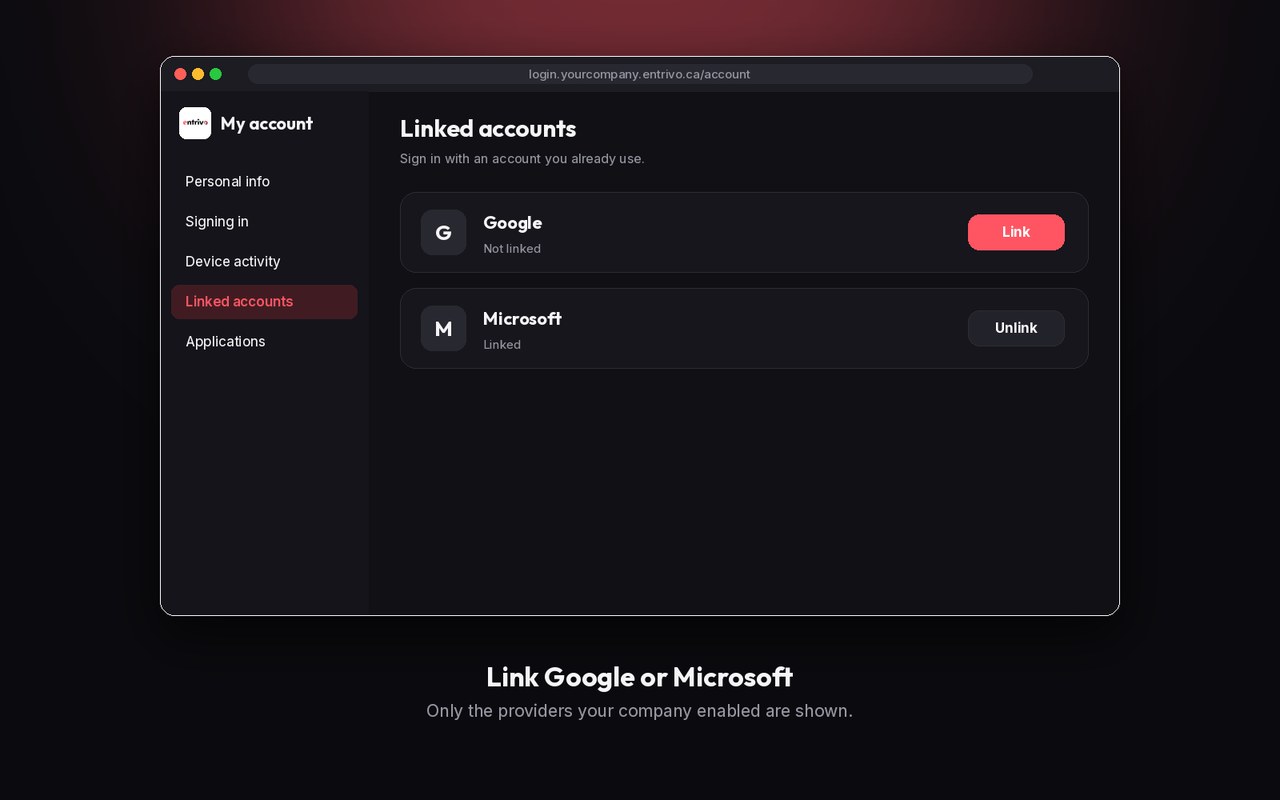
Sign in and click Linked accounts. You'll see the providers your company allows.
2. Link an account
- Click Link next to the provider.
- Sign in to that provider and approve the request.
- You're returned to Entrivo and the account shows as Linked.
3. Sign in with it
Next time, choose the Google or Microsoft button on your sign-in page.
Good to knowIf you don’t see Linked accounts, or no providers are listed, your company hasn’t enabled this option. Your normal Entrivo sign-in still works.
Frequently asked questions
Can I unlink?
Yes. Click Unlink. Make sure you still know your Entrivo password first.
Does Entrivo see my Google or Microsoft password?
No. The provider confirms who you are; your password stays with them.