
Help Center / Training
Managing devices and active sessions
See where you are signed in and sign out of a device, or every device at once.
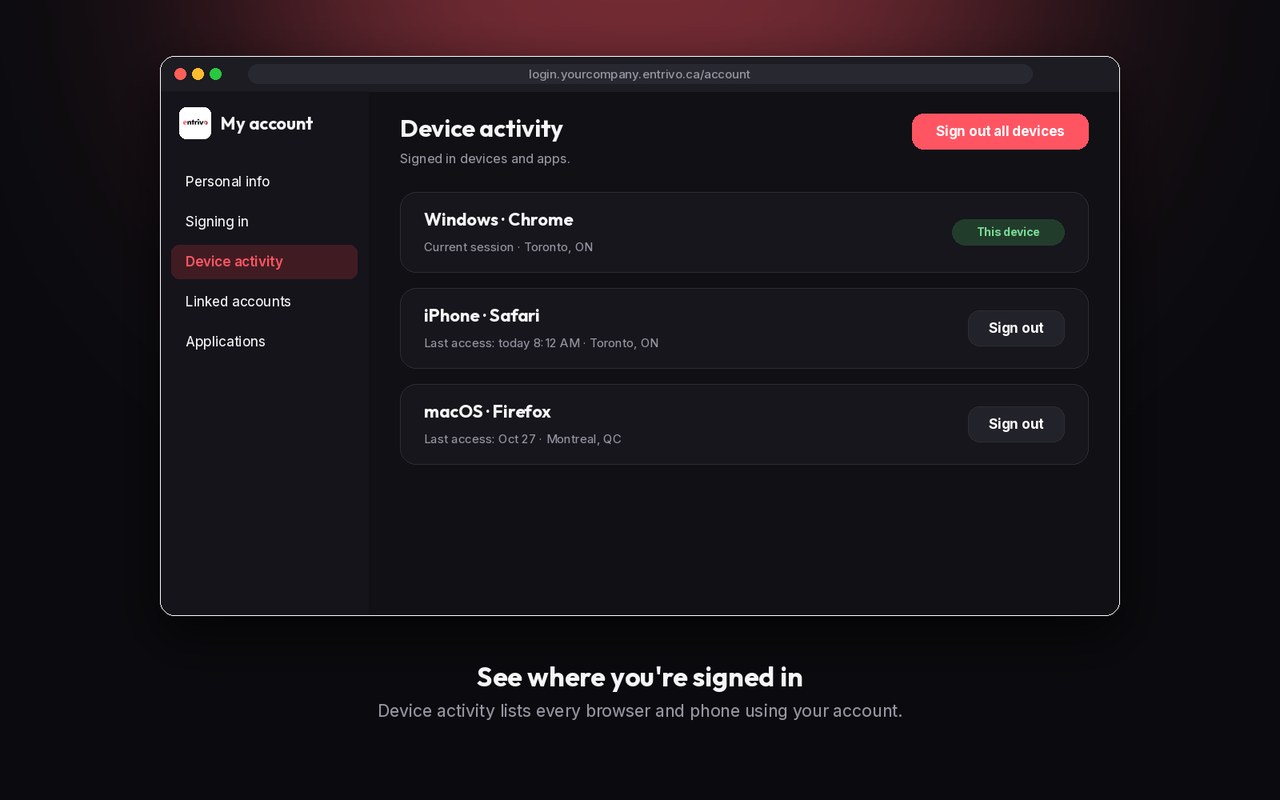
Device activity shows every browser and phone currently signed in to your account. Use it to check for anything unexpected.
1. Open Device activity
Sign in and click Device activity. Each entry shows the device, browser, last access time and approximate location.
2. Sign out a device
Click Sign out next to a device you no longer use, such as a shared or lost computer.
3. Sign out everywhere
Click Sign out all devices to end every session at once, including in your connected apps.
Security tipIf you see a device you don’t recognize, sign out all devices, change your password right away and tell your admin.
Frequently asked questions
Will signing out all devices sign me out here too?
Yes. You will need to sign in again.
Why is the location wrong?
Location is estimated from your internet connection and can be approximate.