
Help Center / Training
Updating your profile
Keep your name and email up to date in your Entrivo account.
Your profile is shared with the apps you open through Entrivo, so keeping it accurate means your name appears correctly everywhere.
1. Open Personal info
Sign in and click Personal info in the left menu.
2. Edit and save
- Update your first name, last name or email.
- Click Save.
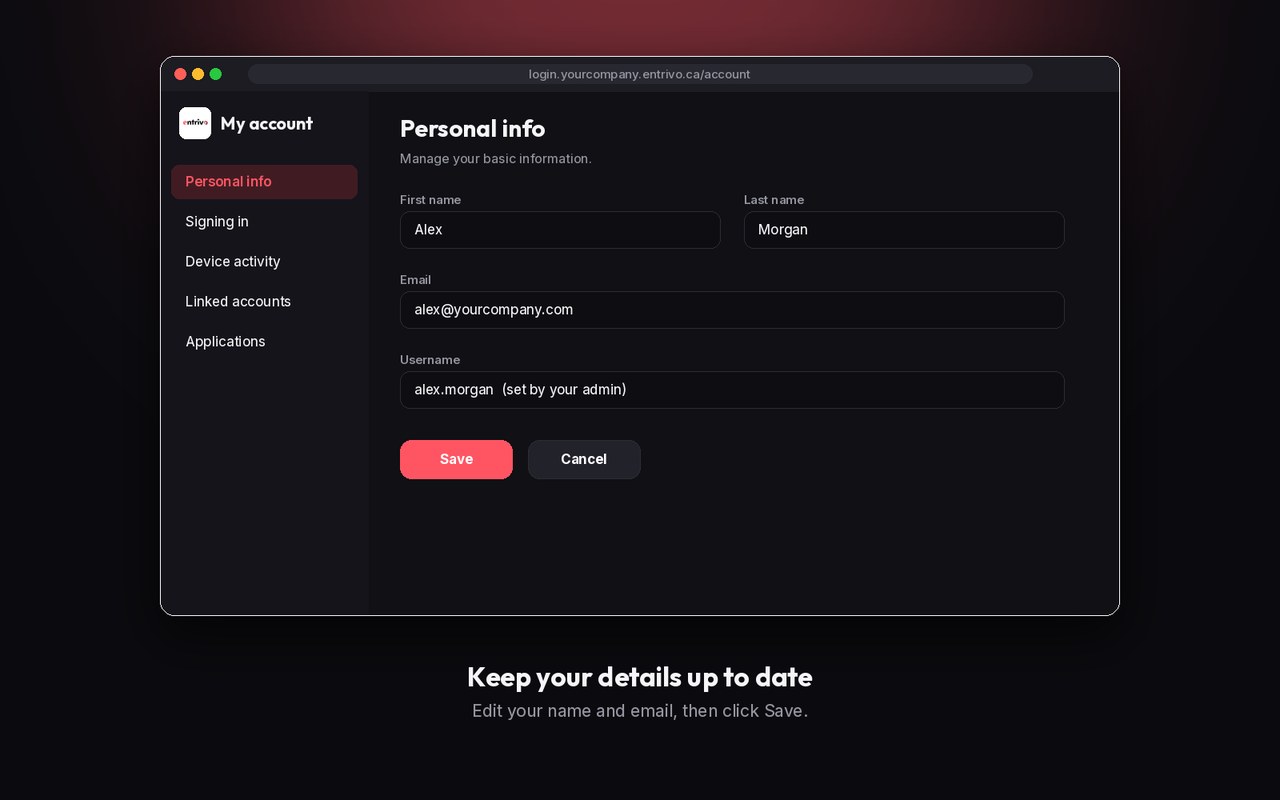
Good to knowSome fields, like your username, are managed by your admin and can’t be changed here.
TipIf you change your email, Entrivo may ask you to verify the new address. Check your inbox.
Frequently asked questions
My name changed. Will my apps update?
Most apps pick up your new name the next time you open them through Entrivo.
I can’t edit a field.
That field is managed by your admin. Ask them to update it.